
How to Change PIFRA Email ID after Registration Latest Method 2026
If you are a government employee and getting monthly salary slips from PIFRA and want to change email id, then this guide is for you. PIFRA is sending Salary Slips to all government employees monthly but sometimes the employees lost their email IDs or forget passwords. They want to get salary slips on new email id but they have no idea to change it on pifra registration form.
How to Change PIFRA Email ID after Registration Latest Method 2026
Changing email address on PIFRA is very easy. Just follow the given steps. First of all you have to unsubscribe the current salary slip registration. For unsubscribe you have to email the pifra management. The format of Email is given here. Just copy paste in your current email and send it to pifra email address unsubscribe@pifra.gov.pk.
Part 1: Unsubscribe Wrong / Old Email Address
Subject: Request for Unsubscribe of Wrong Email Address – Personnel No. 0000000
To,
The System Administrator,
PIFRA (Payroll / Pay Slip Section)Subject: Request for Unsubscribe of Wrong Email Address
Respected Sir/Madam,
It is submitted that an incorrect email address has been registered against my personnel number in the PIFRA payroll system, due to which my monthly pay slip is being delivered to the wrong address.
My particulars are as under:
Name: [Your Full Name]
Father’s Name: [Father’s Name]
Personnel Number: [0000000]
CNIC: [00000-0000000-0]
Designation: [Your Designation]
Department / Office: [Office Name]
DDO Code: [If known]
Wrong / Registered Email Address: [wrongaddress@example.com]You are kindly requested to unsubscribe / remove the above-mentioned incorrect email address from my personnel number so that pay slips are no longer sent to it.
Thank you for your kind consideration.
Regards,
[Your Full Name]
Personnel No. [0000000]
Contact: [Your Mobile Number]
Part 2: Wait for PIFRA Official Reply
After sending email about wrong address, PIFRA Management will send an email about the deletion of wrong email address. When you recieved this email and wrong address is unsubscribed, now simply go to PIFRA Registration and register new email address.
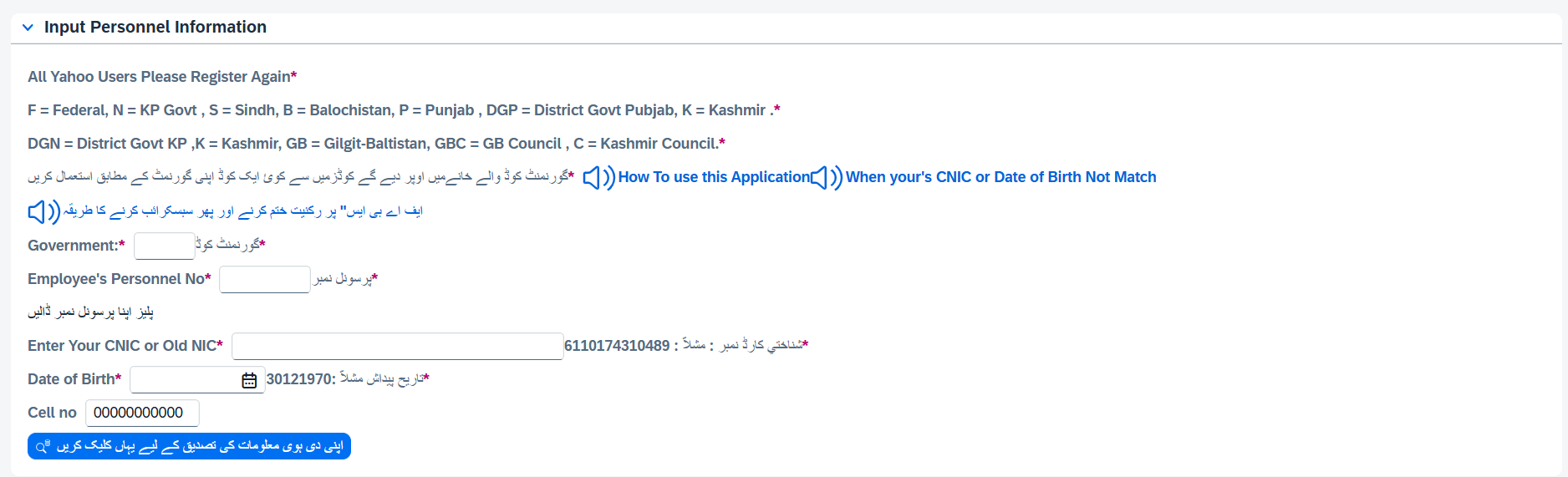
When you go to Pifra registration form you will see the details like given above. Now enter your complete details and subscribe new email. After that you will get all your salary slips on new email.