
Pifra Utility Bills Registration 2026 – Register Utility Bills in PIFRA System for Processing
All DDO Persons are advised to register their utility bills on PIFRA System. The deidcated PIFRA Utility Bills Registration Portal is available at m.pifra.gov.pk/ddo_utility. In this article you will get complete details on how to register Utility Bills in PIFRA System for Processing. You can use olbshelp@cga.gov.pk for helpline through email and 051-9107209 helpline through call. PIFRA Registration for Salary Slips also available.
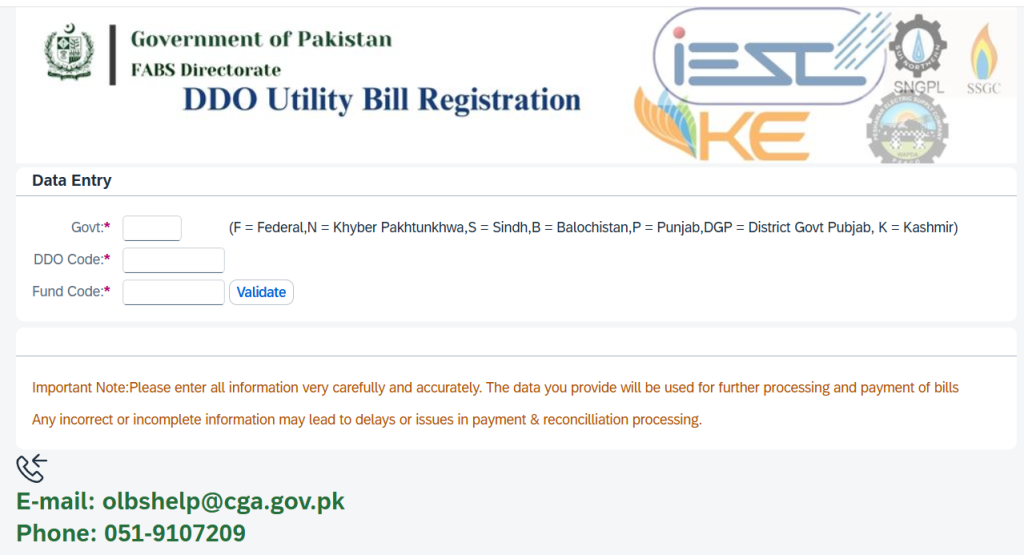
First of all you have to open the pifra portal. In the first field enter the govt code. The govt codes are F = Federal, N = Khyber Pakhtunkhwa, S = Sindh, B = Balochistan, P = Punjab, DGP = District Govt Punjab, K = Kashmir. Make sure that you entered correct information. In case of wrong information or incomplete details payment of bill can be delay or cancelled and you feel embarrassment.
Pifra Utility Bills Registration 2026
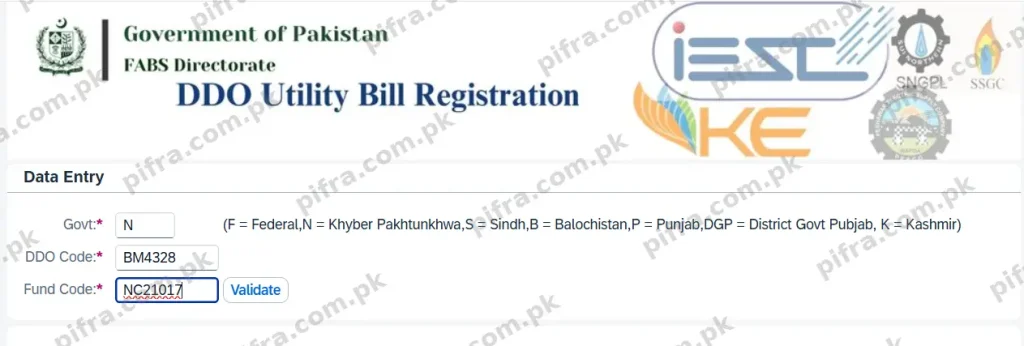
When you visit the pifra ddo utility bills portal you see the options like above. Govt field enter your govt code as give above. In DDO code each officer will enter his DDO code and in fund code will enter Fund Code and then validate it. For Example We enter N in Govt Code, BM4328 in DDO Code and NC21017 in Fund Code. Then press Validate Button. After that you will get the following screen.
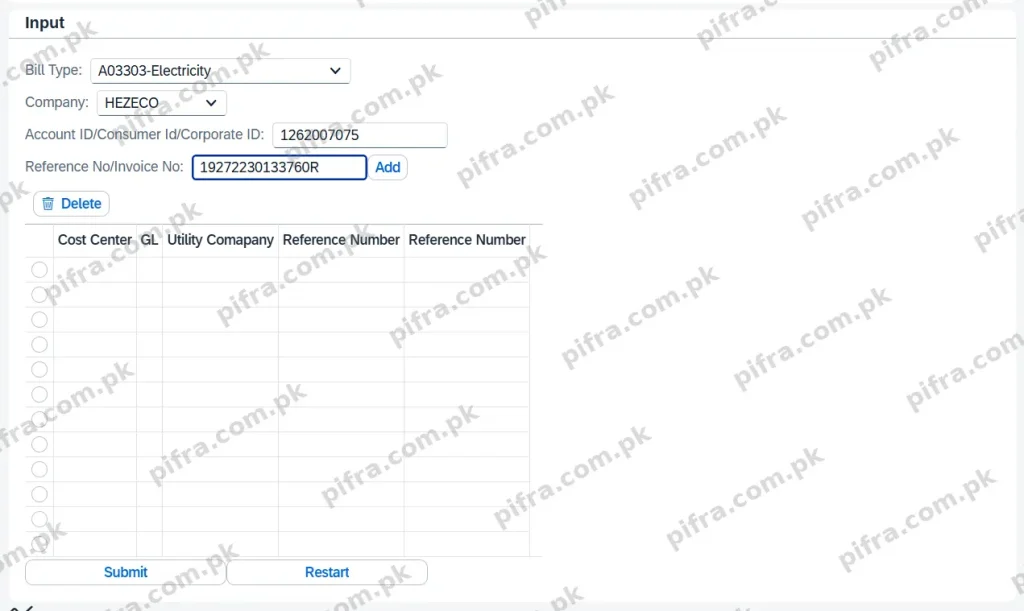
After validate process you will get the following input fields. Now you have to enter the bills details. You can check the submitted Bill Status through PIFRA Bill Status Checking System. Now you will enter bill type, Company like HEZECO, Account ID and Reference Number of Invoice Number. All Example details are given below in realtime screen.
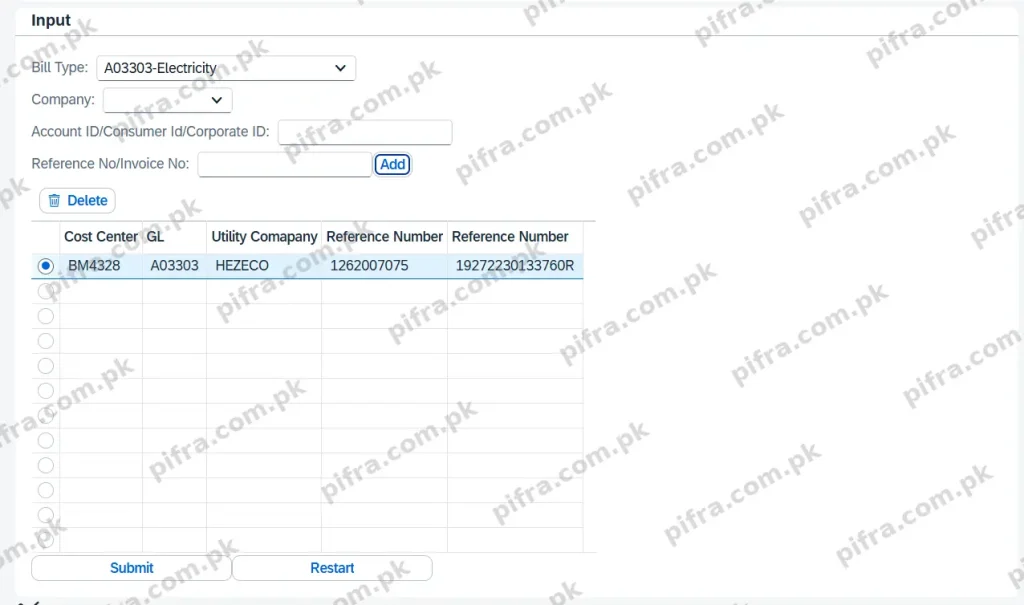
When you enter all required details in Input Form, Simply click blue Add button and you will get the bill details in Boxes field. When you get the details in boxed field you have to review the entered details and then simply submit the bill. As you can see in the below screenshot that required will with all information is available to submit.
Summary
I want to request all owners regarding their utility bills, whether telephone or electricity. Before anything else, you need to register on the PIFRA website. Only after this registration will your bill get entered into the system at the Account Office. If you don’t do this, it simply won’t go through.
So here’s the process. First, open the PIFRA website, which is m.pifra.gov.pk. It will show up on your screen, just click OK, and the website will open in front of you. Now in the “Government” field, write N. After that comes the DDO Code, which you’ll find on your bill — for example, mine is BM4328. Once you enter the DDO Code, you need the Fund Code next. This is usually in your budget copy, but if you don’t have it, just ask at the Account Office, they’ll give it to you (something like NC21017).
After entering these, click Validate. Once it’s validated, a new tab will open where you enter more details. Here you select the Bill Type, so if it’s electricity, select that, then choose your company — for instance, I have HESCO, so I selected that. Next you’ll need the Consumer ID, which is printed on top of your bill (mine is 1262007075), so put that in. After that comes the Reference Number, also written on the bill (something like 19272230133760R). Confirm it once, then click Add.
Once you click Add, the entry will show up below on the screen, and from there you just submit it. Now if you have two or three bills, you can just go back up on the same screen, change the type from electricity to telephone, select the company for that bill too, and add it the same way. You can keep adding as many entries as you need, two, three, four, all in one place.
In my case I only had one bill, so I went ahead and submitted it. Once submitted, the record gets saved. After this, when the bill is submitted at the Account Office, that’s when it actually gets entered into the system. Without following this process, it simply won’t be entered. So everyone, please make sure you follow this procedure.